


🔥Upgraded Wireless CarPlay Screen for Andriod & Iphone 🚚Free Shipping
🔥Upgraded Wireless CarPlay Screen for Andriod & Iphone 🚚Free Shipping
Experience immersive sound quality and seamless voice control with our advanced Car Play device.
BUNDLE & SAVE
Couldn't load pickup availability

🔥Upgraded Wireless CarPlay Screen for Andriod & Iphone 🚚Free Shipping



Who Should Buy?


Wireless Apple CarPlay & Android Auto with Voice Control
This double din car stereo seamlessly connects with your smartphone via Wireless Apple CarPlay & Android Auto. Access apps, navigation, calls, music, and messages directly from the responsive touch screen.Voice Control lets you make calls, browse maps, and play music hands-free for safer driving.


HD Backup Camera
Includes a high-definition backup camera that automatically displays the rear view when reversing. Easy to install by connecting to the reverse light. (Note: For assistance only—always check your surroundings.)


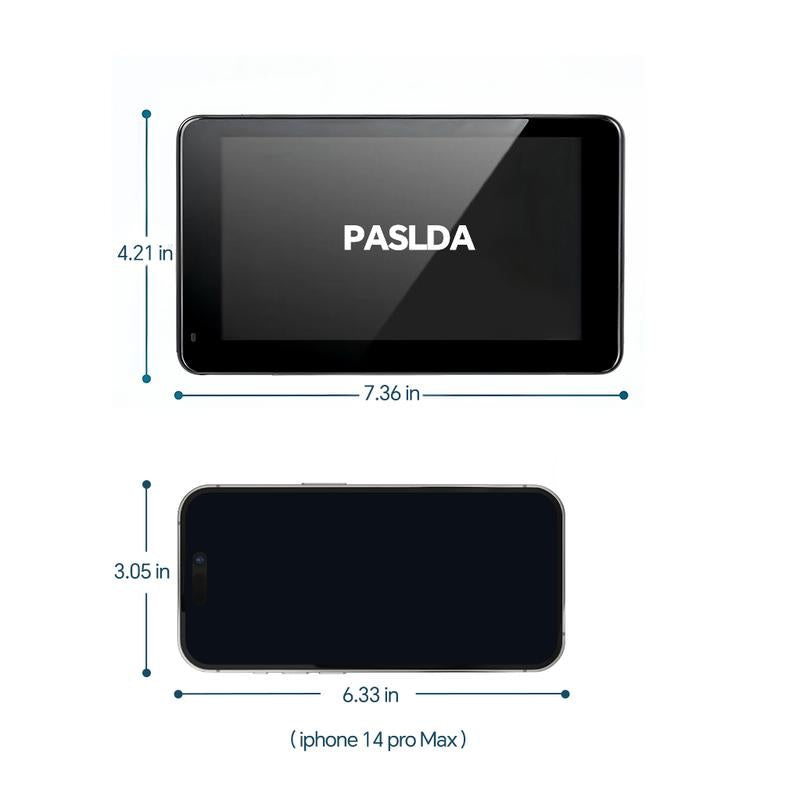
7-Inch Touch Screen & Real-Time GPS Navigation
Features a bright, vivid 7-inch IPS touch screen with 1024×600 resolution. Enjoy real-time GPS navigation with precise, lag-free positioning and clear map display—perfect for updating older vehicles.


Wireless Mirror Link
Supports wireless mirroring for both Apple/iPhone and Android smartphones. Mirror your phone’s screen to enjoy videos, YouTube, maps, and more on the large HD display.

7-inch IPs HD Screen for Better Visuals and Wireless Car play and Android Auto Support

Easy to Install, Universal Fit
Plug-and-play setup powered through the cigarette lighter. Includes an adhesive bracket for mounting on the dashboard or windshield—no need to remove your factory radio. Compatible with most cars, trucks, vans, and more.
Real Results from Real Customers
-

Works great and easy to set up and connect to my phone, works with iPhones and android I have both phones and sound is great too
-

came within two days, easy set up, easy connection, & sounds amazing. didn’t use the camera because i just wanted to car play option.
-

The speed of shipping. And the screen size. It doesn’t not feel cheap at all. Connection and setup was super easy. Definitely pleased with this purchase!!


Answers to some questions
Q: How to use?
Q: How to use?
A:Plug and Play: Type-C power cable connects to Car play, the cigarette lighter cable can be easily started after installation, there is a power on button on the top of car play, long press when not in use can make the screen hibernate. In case of high temperature and sunshine in the car, it is recommended to turn off the power and cool down the temperature to prolong the use time.
Q: Can't connect BT?
Q: Can't connect BT?
A: Please turn on the BT function of your cell phone before turning on the car radio.
Please delete the BT record of your phone and match the connection again.
Q: Can't play music after connecting Car play BT on iPhone?
Q: Can't play music after connecting Car play BT on iPhone?
A:1. Open the phone settings to accept car play
2. Open BT to connect to car play BT
3. Accept to play the music
Q: Do I need professional help to install it?
Q: Do I need professional help to install it?
A: No, most users can install it themselves.It's a plug-and-play system with an adhesive bracket. The backup camera wiring is straightforward, connecting to your car's reverse light.
Q: Will it work with my factory radio and speakers?
Q: Will it work with my factory radio and speakers?
A: Yes, it works alongside your factory radio.It uses its own speaker or connects via FM transmitter/AUX to your car's audio system, so you keep all original functions.
Q: Does it require a separate SIM card for GPS?
Q: Does it require a separate SIM card for GPS?
A: No, it does not.The GPS navigation gets its data directly from your smartphone when connected via CarPlay or Android Auto.
Q: Is the touchscreen responsive and easy to see in sunlight?
Q: Is the touchscreen responsive and easy to see in sunlight?
A: Absolutely.The 7-inch IPS screen is designed to be highly responsive and offers good brightness and viewing angles, reducing glare in most daylight conditions.